LLMs Generator
What this is for, in one sentence: LLMs Generator builds a structured llms.txt file — a plain-text summary of the business and its key pages — so AI systems have something authoritative to read instead of piecing the whole site together themselves.
When to come here:
- Setting up a new site, or after a redesign, to give AI systems a clean reference for the business
- If you suspect AI crawlers are only reaching part of the site, or getting the business wrong
- Before asking a developer, agency or hosting provider to publish something — this is a file upload, not a code change
Marcus Tan runs NorthStar Digital, and giving ChatGPT, Gemini, Perplexity, Google AI Mode and Google AI Overviews something authoritative to read about the agency is part of the same job as earning citations from them. LLMs Generator is where he builds that file for northstardigital.co.
Business profiles only. LLMs Generator is available to profiles set up as Business size — NorthStar Digital is the only demo profile of that size. Profiles set up as Micro SME don’t get the item in the sidebar at all, so its absence there is the profile type, not a fault. Only an owner or a member can open it at all: a viewer who reaches the URL directly is redirected away, not shown a locked screen (see Common questions below).
Generating the file
Section titled “Generating the file”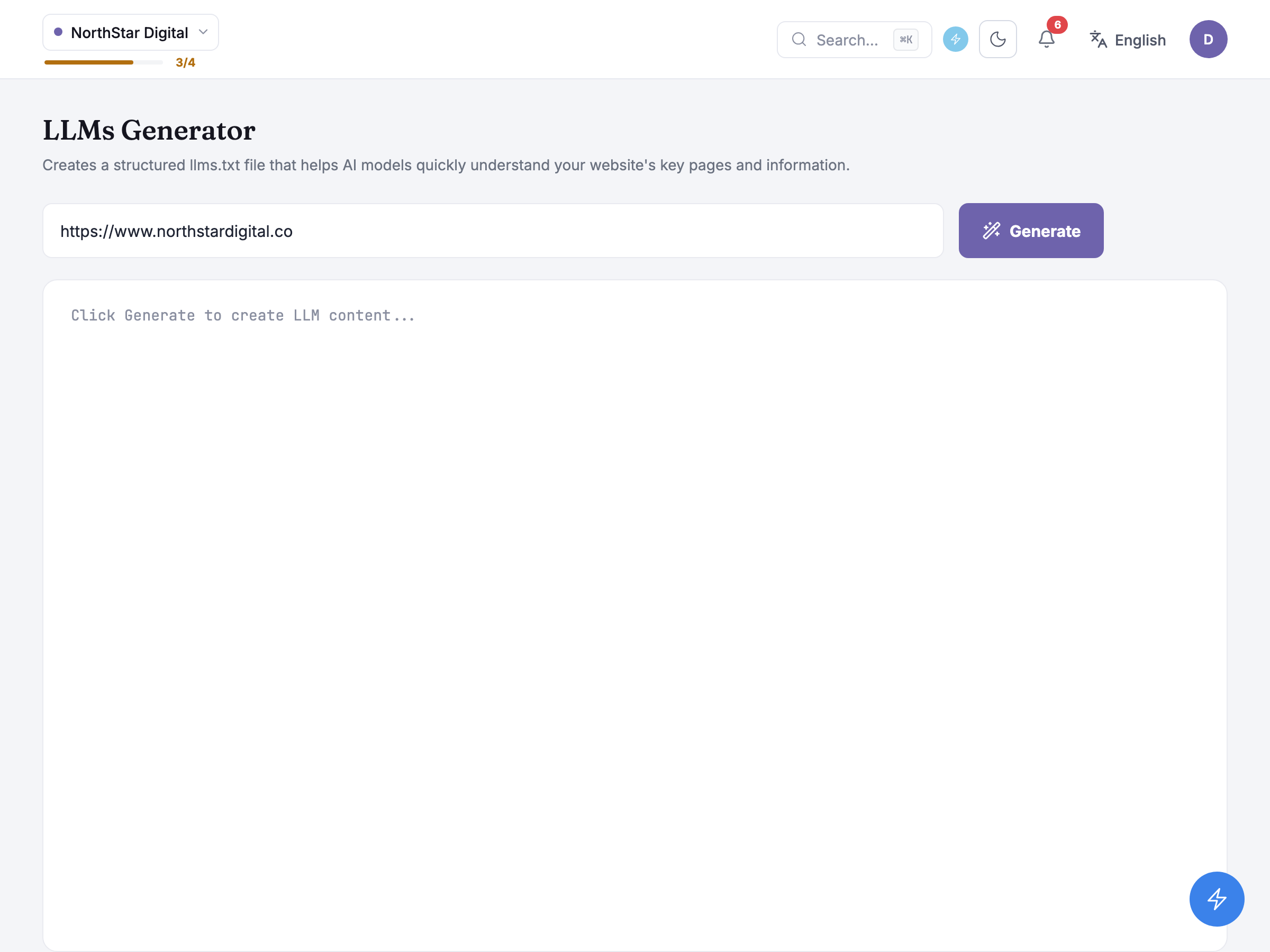
The page opens on one Target URL field, prefilled from the business profile’s own website address, and a single Generate button — there’s nothing else to set up.
Pressing Generate doesn’t necessarily mean crawling the site there and then. Most of the time it builds the file from what’s already on record: the business profile’s stored name, overview, services, audience and locations, plus a list of the site’s own pages read straight from its sitemap. If that profile record is missing pieces — no overview, say, or no listed services — it doesn’t crawl the site for them; it fetches just the homepage and runs one AI classification pass to fill the gaps. Only if the whole profile-based approach fails outright does it fall back to actually crawling the site page by page and asking an AI model to work out what each page covers.
Either way, the request runs and finishes in one round trip rather than the queued, poll-for-progress pattern most other tools in the product use — there’s no history of past runs to come back to, so a page reload loses whatever was on screen.
Until something has been generated, the output area just holds a placeholder: Click Generate to create LLM content…
Installing the file
Section titled “Installing the file”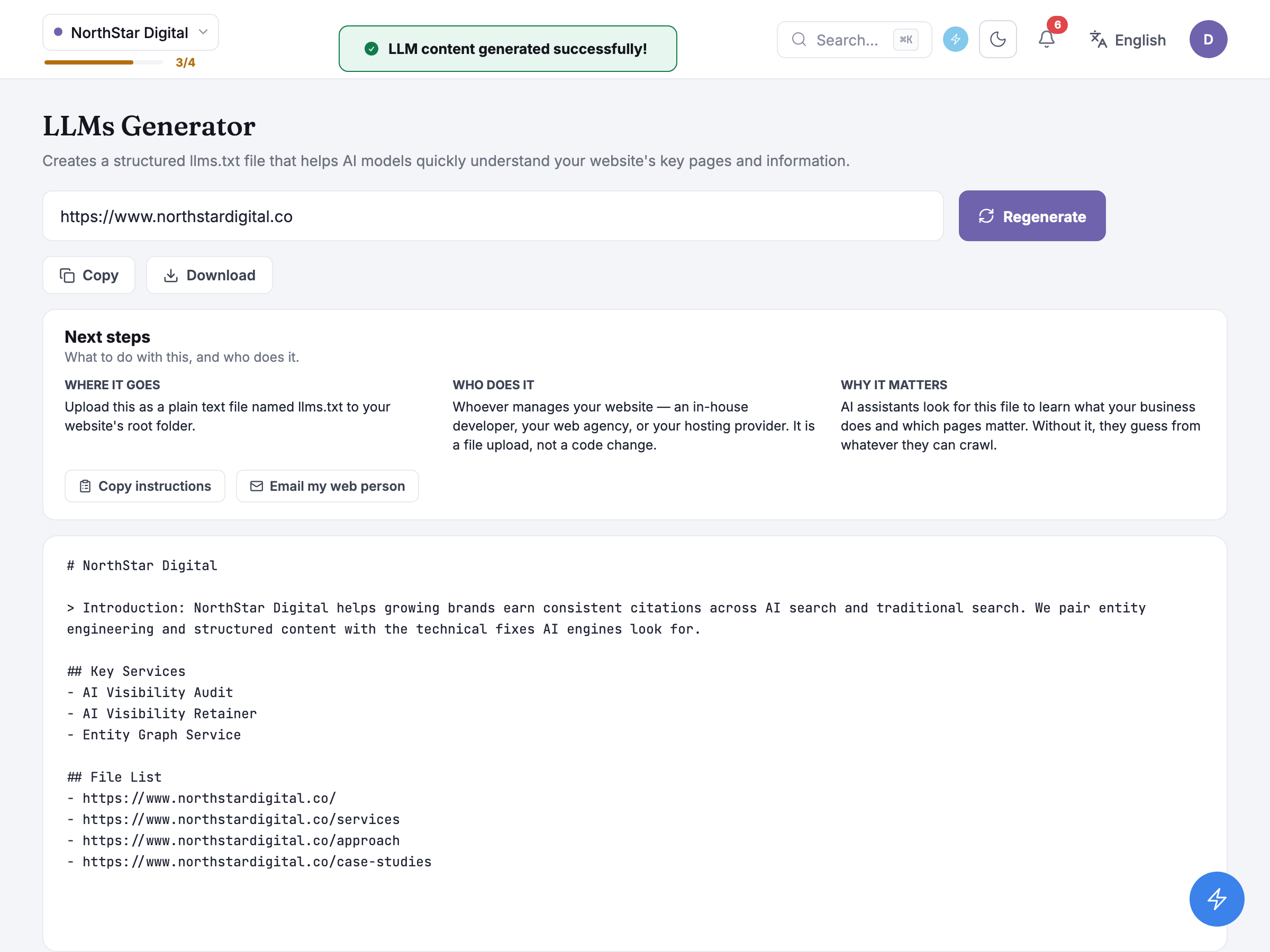
Nothing generated here is saved anywhere. Regenerate doesn’t refine or reuse the previous file — it re-runs the same generate step from scratch, so a second click can come back different from the first, and there’s no “revert” once you’ve moved on.
Copy and Download sit above the file body. Download always saves the file as llms.txt, whatever language the rest of the product is displaying in — that’s the exact filename AI crawlers look for at a site’s root, so it’s never translated or renamed.
Below the actions sits a hand-off card spelling out what to do with the result: it belongs at the root of the site — not a subfolder, so it loads at an address like northstardigital.co/llms.txt — and putting it there is a job for whoever manages the website, whether that’s an in-house developer, a web agency or a hosting provider, since it’s a file upload rather than a code change.
Honest guidance — a thin result means a blocked crawler, not a bug. If the generated file only ever mentions one page, a warning explains that your site may be blocking crawlers and that the file is likely incomplete as a result. The advice is to publish it anyway and come back to regenerate once crawlers can reach the rest of the site — a partial file still beats no file.
Honest guidance — this file gets checked elsewhere too. Whether a site has a working llms.txt is one of the technical checks Site Audit runs on its own, separately from anything you do here — so publishing what this tool generates can move that result as well.
Common questions
Section titled “Common questions”Do I need to keep coming back and regenerating this? Only when the site changes enough to be worth a fresh read — a new service line, a restructured sitemap, a rebrand. There’s no reminder or staleness warning built in; it’s on you to notice and press Regenerate.
Who can see and use this tool? Owners and members — a viewer navigating here directly is redirected away rather than shown a read-only version, which is stricter than most tools in the product.
Why does the file sometimes look thinner than I expected? The output is cleaned up before it’s shown to you — empty labels and blank sub-sections the underlying template can produce are stripped out automatically, so a shorter file can just mean less filler rather than a failed run.
What to do next
Section titled “What to do next”- Site Audit — checks whether the llms.txt you publish is actually reachable, alongside the site’s other technical AI-readability checks.
- Schema Generator — structured data for individual pages, complementing the site-level summary this tool produces.