GBP Optimizer
What this is for, in one sentence: GBP Optimizer turns two of GBP Audit’s findings — a thin business description and a mismatched category — into an AI-written suggestion you can copy across to Google yourself.
When to come here:
- Right after a GBP Audit flags a thin description or a mismatched category, for a starting point instead of writing the fix from scratch
- When a suggestion doesn’t feel right, to regenerate a fresh one for the same finding
- Never as a first stop on its own — it only has something to show once a GBP Audit has actually run
Priya Nair is usually the one who ends up in GBP Optimizer: Sarah flags a finding in GBP Audit, and it’s Priya who decides whether an AI-written starting point saves more time than writing the fix herself.
Open to both profile types now (Micro SME and Business); generating a suggestion still needs an owner or member role. GBP Optimizer’s sidebar entry carries no size restriction, the same as GBP Audit’s, so a Business-size profile can run an audit and see this page too.
A viewer can still open the page by direct link; what’s blocked is the Generate action itself, which the API refuses for a viewer with a permission error rather than the route turning them away.
Before you have an audit
Section titled “Before you have an audit”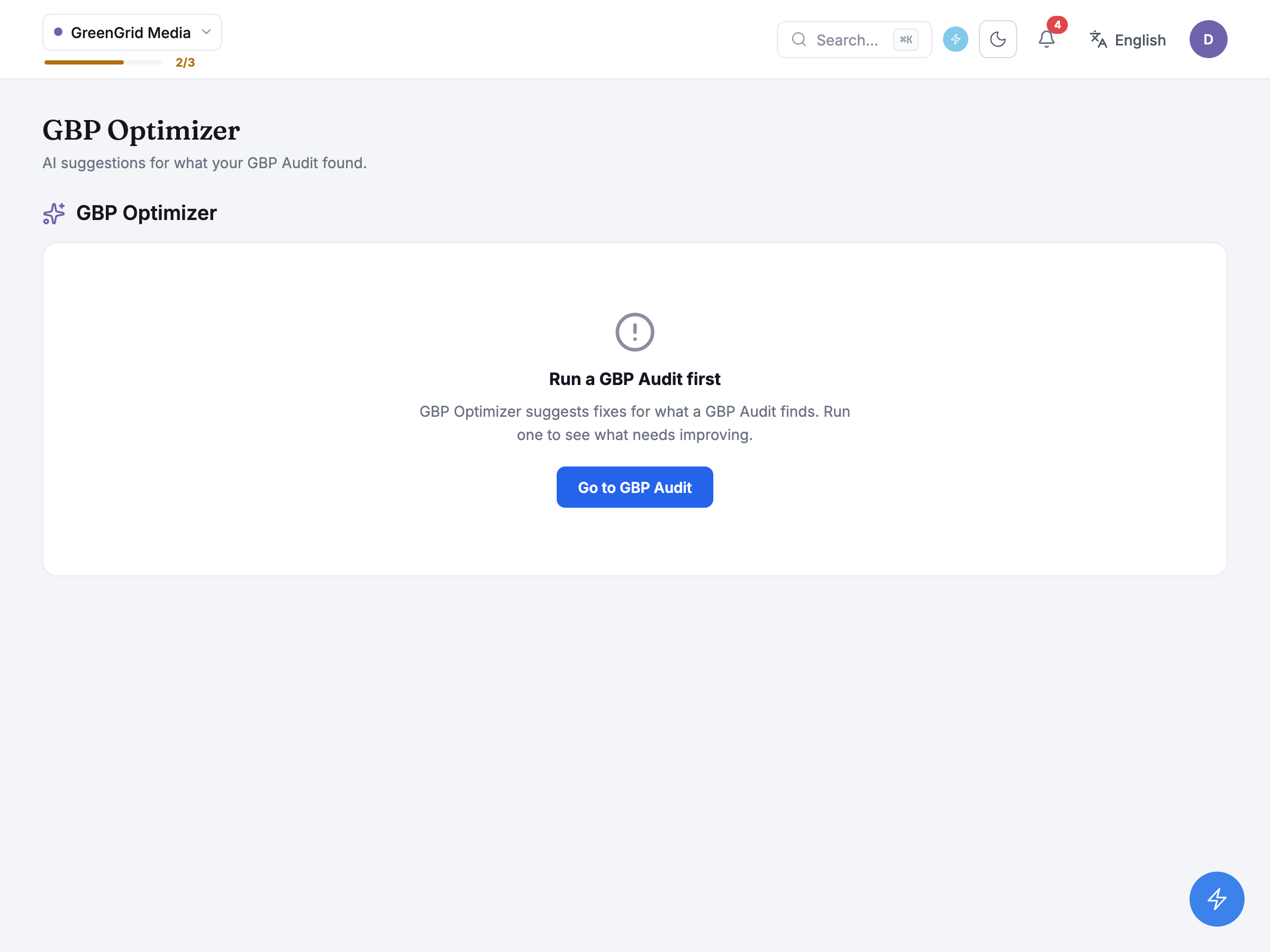
GreenGrid Media has never connected a Google Business Profile listing or run a GBP Audit, so opening GBP Optimizer shows a Connect Google Business Profile panel first, and below it Run a GBP Audit first with a Go to GBP Audit button, since there is nothing yet to generate either way. Both are genuine pre-flight checks now: GBP Audit itself gates its own Run audit button on a connection the same way, and this page separately looks for a usable audit up front and says plainly what’s missing, instead of letting you click a generate button that then fails.
Behind the scenes it looks at your most recent audit runs, scoped to whichever branch is selected when a profile has claimed more than one, and resolves either the one a “Suggest with AI” link on a GBP Audit finding pointed it at, or the latest complete run among them. A run still in progress or one that failed is skipped over rather than shown as an error.
When there is nothing to suggest
Section titled “When there is nothing to suggest”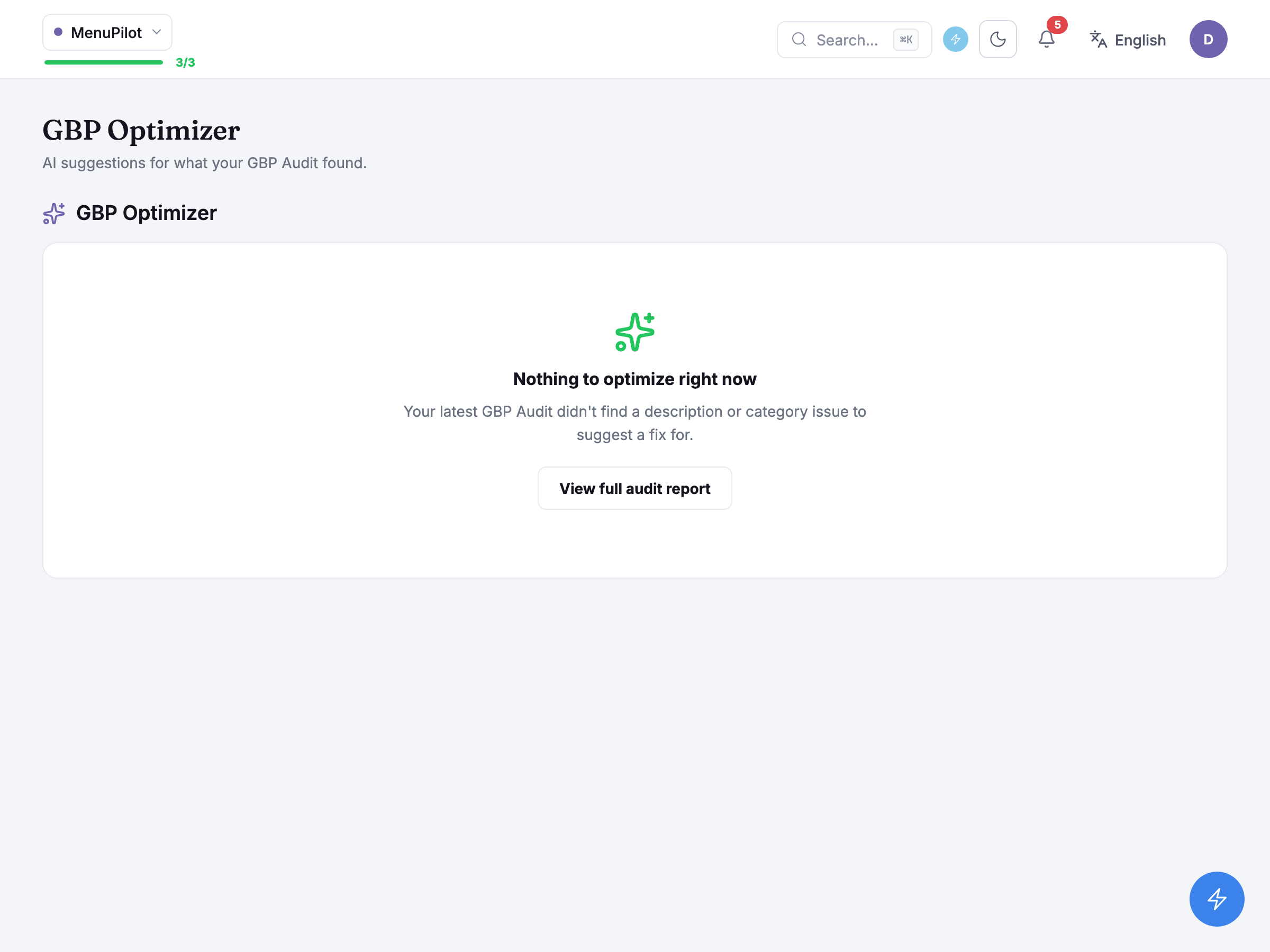
MenuPilot has run a GBP Audit, but that run’s two findings — the name-and-address mismatch and the missing reviews — aren’t ones GBP Optimizer can write a suggestion for, so the screen shows Nothing to optimize right now instead, with a View full audit report button back to the findings themselves.
Only two of GBP Audit’s nine checks have an AI suggestion behind them at all: a thin business description, and a mismatched category. A finding on any other check (hours, website, website target, location page, phone, reviews, or the name-and-address match MenuPilot’s run actually raised) never shows a suggestion card here, however many times the audit is re-run; the fix for those stays the copy-paste instructions on GBP Audit’s own Fixes tab.
Generating a suggestion
Section titled “Generating a suggestion”When an audit does raise a description or category finding, GBP Optimizer shows one suggestion card per eligible finding instead of either empty state above: the finding’s own title and reasoning, then a button to generate an AI-written suggestion for it. Generating calls a real AI model there and then, rather than queuing a background job — there’s no progress screen or polling to wait through, just a short wait on the one card while the rest of the page stays interactive.
A description suggestion carries a live character counter against a 750-character cap, turning a different colour once you’re over it — the model’s own output is already trimmed to fit before it reaches the card. A category suggestion, by contrast, is deliberately free text rather than something picked off Google’s own list of categories: the instruction that comes with it tells you to search for and select the closest real match yourself on business.google.com, rather than promising the wording is already a valid category there.
A category suggestion also says where it came from. When Zicy could check it against a page on your website, the card shows “Grounded in” followed by that page’s address. When it couldn’t, the card instead shows the warning “Couldn’t check this against your website — double-check it before using it.”, and the suggestion rests on the listing and the profile details alone, so confirm it before you use it. A description suggestion shows neither line.
Regenerating overwrites whatever suggestion was already there for that finding — there’s no history of earlier attempts to go back to, only the latest one. Neither generating nor regenerating is metered by a daily cap the way GBP Audit’s runs are; the handful of ways it can refuse are specific error messages, never a quota reached. Copying works the same way a GBP Audit fix does: it carries the suggestion to your clipboard, and pasting it into business.google.com is still the last step you do yourself, since nothing here writes back to Google either.
Common questions
Section titled “Common questions”Why don’t I see a suggestion card for every GBP Audit finding? Only two of the nine checks have an AI suggestion behind them: description and category. Everything else keeps its copy-paste instructions on GBP Audit’s own Fixes tab, with no equivalent here.
Does generating a suggestion use up a run or a credit? No — it isn’t counted against GBP Audit’s daily run cap, and there’s no separate credit for it either. Generate is a live AI call each time, not a queued job.
I’ve already connected a listing — why does this still say “Run a GBP Audit first”? GBP Optimizer reads a GBP Audit run’s findings, not the listing directly. Until an audit has actually completed once, there’s nothing yet for it to read.
What to do next
Section titled “What to do next”- GBP Audit — run one first; its Findings and Fixes tabs are where every suggestion this screen can generate actually originates.
- Brand Profile — connect, reconnect or disconnect the Google Business Profile listing GBP Audit and GBP Optimizer both depend on.
- Impact Tracker — mark the day you paste a suggestion into Google, to see whether anything moved afterwards.